PFRE is the original online resource for real estate and interior photographers. Since 2006, it has been a community hub where like-minded professionals from around the world gather to share information with a common goal of improving their work and advancing their business. With thousands of articles, covering hundreds of topics, PFRE offers the most robust collection of educational material in our field. The history of real estate photography has been documented within these pages.
Congratulations Alex Vincent, March 2024 PFRE Photographer of the Month! The theme this month was "Kitchen". Alex Vincent - #906 Yvonne Raaijmakers - #909 Peter Wingfield - #902 Here's what Alex has to say: Thank you for the award of Photographer of th ...
For over a decade, photographers from around the world have participated in PFRE’s monthly photography contests, culminating in the year-end crowning of PFRE’s Photographer of the Year. With a new theme each month and commentary offered by some of the finest real estate & interior photographers anywhere, these contests offer a fun, competitive environment with rich learning opportunities.
PFRE prides itself on the depth and breadth of the information and professional development resources it makes available to our community. Our goal is to help real estate and interior photographers be successful while bringing the community together and elevating the industry as a whole.
As an Amazon Associate we earn from qualifying purchases.
HDR is an editing process that balances shadows and highlights, especially for interior photography. If you've never done HDR photos and don't understand this type of presentation, I'm going to discuss how to do HDR, when to use it, as well as situations where HDR real estate photography looks bad.
In photography, HDR stands for High Dynamic Range, which is a type of editing process that involves combining bracketed photos with multiple exposures to broaden the difference between the darkest and lightest spots.
There are times when no matter how many times you adjust the camera settings, you won't be able to capture all the highlights and shadows in one photo. Utilizing the best HDR software, a real estate photographer can blend several real estate images with varying exposure to get all details clearly.
Stereotypical HDR
You may see that some MLS real estate images have pastel-like colors,making them look unreal and give a false impression of an interior or a property.
Stereotypical HDR photos show cartoon-like, oversaturated images. While stereotypical HDR images result in well-lit and artistic photos, the cartoon-like, oversaturated real estate images would differ from the actual property's appearance.
Naturally-Blended HDR
Better than a stereotypical HDR image, naturally-blended HDR images provide an accurate representation of an interior by maintaining the original colors and details while only enhancing the brightness and accentuating shadows. An Arizona flat fee realtor shares that when real estate and interior photos look overly edited, potential real estate buyers can become skeptical of the listing and wonder how accurately the home is listed online. While some HDR is good, you don't want to overdo it.
Over the years, most top real estate photographers have moved beyond simple HDR images. Some use HDR/Flash hybrid or have moved to LR/Enfuse or other several post-processing methods, which look more realistic than HDR photography.
Why Use HDR for Real Estate Photography?
The primary objective of using HDR in real estate photography is for the human eyes to see a property through an HDR shot accurately. Aside from that, there are many advantages to why a high dynamic range is a suitable technique for photographers.
Save highlights and balance shadows: It can be challenging to balance the highlights when shooting interior photos of spaces with exterior views. For example, photographing a bedroom with a window view may have multiple light sources. With HDR photos, you can preserve the contours from window light while retaining the room's vibrant colors.
Increased details: Unlike shooting with a single exposure, HDR prevents a real estate photographer from losing image detail for important elements like fixtures or furniture. Likewise, you can enhance textures for sharpness and greater clarity.
Overcome tricky lighting conditions: There are times when combining natural light and external lights can create complex lighting. Better than spending too long adjusting your lighting and camera position, an HDR composite image can counteract high contrast lighting in one image.
Downsides of HDR Photography
While a high dynamic range has benefits, HDR photos also come with some disadvantages.
Time-consuming: Unlike basic retouching and post-processing, blending brackets into one HDR image takes a lot of time and patience, especially during your first few tries.
Requires particular tools: As opposed to point-and-shoot digital cameras, some dedicated digital cameras or DSLR modern cameras have a bracketing feature or the automation of multiple exposures. A real estate photographer would also need post-processing tools like Photoshop to blend HDR photos.
Tendency to look fake: While it can be easy to fall into the rabbit hole of heavy editing, this, unfortunately, results in unrealistic details, colors, and vibrancy in your real estate images.
Considerations Before Doing HDR in Real Estate Photography
Camera: It's ideal to choose a type of camera with a built-in bracketing mode to ensure that you get different exposures without sacrificing quality. In addition, it would be helpful if the camera has a full-frame sensor that can adapt to low-light conditions.
Wide angle lens: A wide angle lens with a focal range of around 16mm to 34mm is perfect for capturing the whole room in the frame.
Flash: There are times when natural light won't be enough, yet a flash can further illuminate the same scene. Use a test shot to see if the natural light is right for you.
Tripod: Since you have to blend at least 5 shots of the same scene, the photos must be as closely aligned as possible. When using a tripod, you can keep the camera and flash stable. A tripod can also retain the same height even as you control the camera's direction.
Remote trigger: Bracketing while handheld may cause motion blur, compromising the quality of your shots. Use a remote trigger to fire the shutter to ensure perfect alignment between all exposures of your frames and avoid motion blur.
Camera Settings
Aperture: In general, HDR real estate photographyrequires keeping the aperture wide open so that you can let in more natural light. Choose the manual mode, then set the aperture between f/7.1 to f/16.
Shutter speed: You would have more flexibility in shutter speed as this may depend on the aperture. However, shutter speeds between 1/60 and 1/2 of a second are best for bracketed images.
ISO: If you can't keep the ISO to around 100 to 400, you won't get sharp and clear details. Going beyond that may result in image noise.
Post-Processing Software
Like in other kinds of photography, using an editing program is one of the best photography tips to see if a technique would work or not.
Hence, you must consider if you can use a photo editing software to create a realistic yet enticing HDR image. Adobe Photoshop and Lightroom are the most common editing program choices for combining HDR real estate photos. You can also use applications such as Aurora HDR or Photomatix to merge bracketed pictures.
How to Determine If a Situation Is Suitable for HDR Photography
While HDR is an excellent technique, you must also keep in mind that HDR real estate photography isn't suitable for all situations. Consequently, this can help you see whether HDR is good or bad for your real estate shoots.
When to Use HDR for Real Estate Photography
Rather than wasting time choosing between an interior, that's too bright, or an exterior that's too dark, HDR photography is a better solution to attain balanced exposure for both.
HDR photography is best used when an interior photography scene's contrast exceeds the range of your camera. For instance, you want to maintain a house's color and detail under the lights while also keeping other areas like pathways and patio a bit darker.
Even a small room can get natural light from windows, doors, and fixtures. If you need consistent lighting and tones throughout the composition, using HDR can lower highlights, increase shadows, balance the brightness of lights, and keep shadow casts.
When Not to Use HDR Real Estate Photography
HDR photography can look terrible if you use it in the following situations:
Low contrast shooting: HDR real estate photography won't do well with low-contrast scenes because they don't have varying exposures.
Silhouettes: Avoid using HDR when you need silhouettes because you would end up with an HDR image really dark or pure black subjects with no detail.
When you want to remove all shadows: Shadows can bring shapes, dimensions, and depth to your compositions. In this way, you can also add drama or mystery to real estate pictures. Since you'll be shooting using various light sources, your HDR images must retain shadows.
When you need to include people or animals: It's a bad idea to incorporate HDR photography when you need to take pictures of properties with people or animals. Skin tones may not blend well, or body parts won't match.
Creating High Dynamic Range Photos in Photoshop
There are several post-processing methods for creating an HDR image. The most popular technique nowadays is compositing, also called exposure blending, or just blending in Photoshop. Here are a couple of recent comparisons between compositing and HDR.
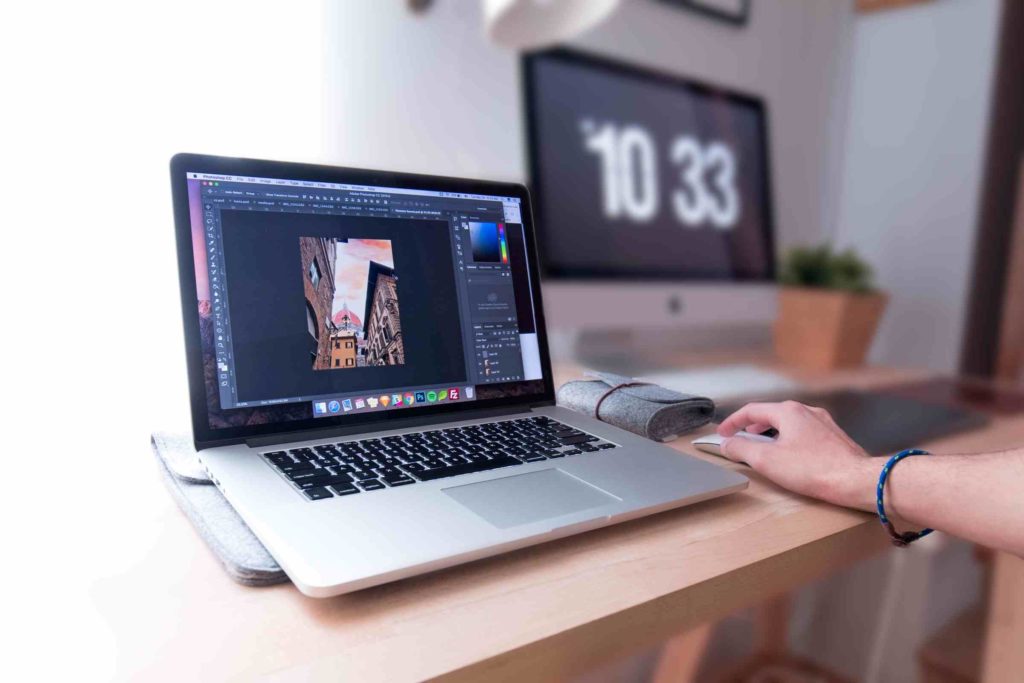
Import photos: Open the photos you want to blend as individual layers in one JPEG file. After opening the base image, click and drag the additional pictures into the Photoshop window.
Organize your files: It's advisable to put the image with the darkest exposure at the top, then work your way down to the brightest photos. The base exposure should serve as the bottom layer.
Add a layer mask: From the Layers panel, select the Add Layer Mask button to add a layer mask. When the layer mask thumbnail appears, this means that the whole layer is visible. You can invert the layer by pressing Ctrl + I.
Make adjustments: You can modify the brush's size, severity, and opacity in the top panel. Likewise, you can change the masked layer's overall opacity to form a subtle effect for the whole layer.
Continue the masking effect: Continue masking until you reach the layer with the most different exposure, like a dark outside view. Instead of using the Eraser, switch to the Polygonal Lasso tool to select the edges of the HDR shot you want to expose.
Do corrections: For a bit of tweaking, you can use the Eraser brush tool to continue applying masks, or the white Brush to erase masked layers.
Save your files: Save the layered image as a PSD file for the next time you need the photo. If you're happy with the final image, you can merge the layers and save the HDR shot as a JPEG file .
Frequently Asked Questions
Is Bracketing the Same as HDR?
Bracketing is a type of shooting technique, whereas HDR is the post-processing technique. In bracketing, you must take one photo with accurate exposure, then shoot several frames at various brightness settings to combine the bracketed shots later in post-production.
How to Take Good HDR Shots?
The right way to capture HDR images is to take interior photos with even exposure, and at least 4 pictures with different exposures. The goal is to get varying levels of detail in each photo, with some having darker shadows or better highlights.
What Are HDR Real Estate Photography Tips?
Make sure to brighten dark areas and retain some shadows to give a more natural feeling. Also, do your best to keep the focus level similar in every HDR photo, so you could easily overlap and blend the photos into one imagewhen editing. Lastly, take advantage of the camera's self-timer to avoid distortion.
Conclusion
Using HDR photography can become a good thing as long as it elevates the quality of your bracketed real estate images. HDR photography only becomes bad when done in haste or without the skills and knowledge.
I would recommend that real estate photographers learn to composite, although I wouldn't go so far as to say that HDR photography is bad because some photographers use it well and make it work for them. If you do use HDR photography, take the time to make each HDR photo look amazing for your real estate agents!
17 comments on “Using HDR Real Estate Photography: Good or Bad?”
I think there is a very big miss-conception when someone is referring to "HDR". The HDR that was introduced a long time ago with the tone blending and all that stuff to create an image, usually ended up with a cartoonish look. I'd say 1 in a 100 at best could create a realistic looking photo using that method. As in all "New shiny objects", it was accepted by some in the RE Pro field....but most saw it for what it was...a very bad way of showing off their properties. Some photographers thinking that their images were art and not a product, thought they could get the agents to "show their vision" of the property. The agents with experience, saw what a terrible "vision" it was and sent the images to the round file.
The Lr/enfuse or the Lr/enfuse/flash Technique is very similar to the way HDR was produce in that it has bracketed images to start with. But that is were it ends. The post process is very different and will give off the most realistic look of the property to someone who enters and would see the actual normal lighting present. I would say the added flash to Lr/enfuse pushes the realistic look of the site to lighter than it actually is.
Exposure blending in post produces good results, yet I find they are never as the actual scene looks. Artificial light may bring out all the details and all, but when I walk into the room, I want to copy what I see, not make it lighter than it really is. Photogs fume about replacing the sky, fixing the grass, etc. ....yet they see no problem with making a space lit or lighter than it actually is. Then you have to consider the post time and effort to end up with your final image. It will take a lot more effort to come up with a similar enfused image.
So, I would suggest diving in and learn most of these techniques (Not HDR though, unless you are going for funky art) because there are situations where one technique might save you over the other. You decide, the worst that could happen, is that you have some skills up your sleeve.
Bottom line it folks, what does your client want? Give it to them and you have a client for life. Try to push your "knowledge" on them and someone else will pick up a new client.
Hi Lynn,
I always tried to light a room and shoot one exposure, but many times I had to shoot a modified HDR, using a couple, sometimes 3 lights as fill.
I basically tried to place the flash units in a location where the windows or light fixtures would light the room, and would place my small flash units out of the camera's view to give the appearance of natural lighting. I keep my flash power low, as I only want it to fill, and not be the main exposure. Then, I bracket my 3 or 4 time exposures, about 1 2/3 stops. then try processing them in a HDR program or LR enfuse to give them as real a look as you can.
But since attending a workshop in Atlanta, I mostly shoot 2 composite images and blend them in Lightroom and Photoshop. The main thing is to get the images to look real and whit balance as neutral as possible. But, I sometimes make the images a bit on the warm side as I find many agents go towards the warmer look.
it takes a lot of practice to master HDR, but if you use it sparingly and as accurately as possible, it will truly help in difficult locations.
Today's HDR processing is so much better than it was. BUT, the use of it is dependent on several considerations, one being what your client is willing to pay for the final result. Most realtors can't tell the difference between HDR vs. more time intensive processes and don't appreciate why they should pay more.
The caveat is that HDR has a bad rap and so even though a client can't tell the difference, some don't want anything to do with it. That said, I offer HDR services for clients looking for a lower price point AND a quick turn around. I also offer more expensive services that include flash photography and compositing. In essence, I don't think the question should NOT be "HDR - Good or Bad", but rather "HDR and Your Client".
Good, if you know how to use it, and necessary for areas like mine where the MLS uses 40 images. I see just as much, if not more bad "fash" RE photography as I do bad HDR, and even the good flash photos do not accurately represent the scene; IMO, the best, or at least the most convincing photos use both, save for the masters of their craft on either side. There's no easy way out.
I've seen some decent HDR, but I generally steer clear of it except for exteriors. But the one thing I've found is that some agents will actually ask for it, specifically wanting that cartoon look. I've had agents complain because my images don't look like their previous photographer's work. And when I research their previous listings I see that they were going with the ridiculous over-saturated Saturday morning cartoon look. Unfortunately, with so much over-processed photography out there (not only in RE photos) people have started to think that's the way a photograph should look. It's frustrating for those of us that are a little more purist.
Seems like a solution in search of a problem. Ten years ago, RAW files (and RAW editors) were not as good, but if you're shooting with a camera made in the last 5 years, the RAW files today are so malleable that you can get a better result with one thoughtfully-exposed frame than most people can with 3 brackets and Photomatix. In extreme situations, two RAW files, well-developed, and then manually blended with a simple layer mask would be faster, both in the field and in post...and without the muddy midtones and weird color, too.
Ultimately, though, it comes down to control (for me). I like to know what I'm going to get, and my clients are expecting me to produce the portfolio-worthy images that drew them to me in the first place. Simply shooting a zillion brackets and then hoping for a pretty result to come out the rear end of a blending program will get you a nice photo sometimes...but for predictable, excellent results you have to be in the driver's seat.
As others have noted, HDR is often done poorly. However the principles have a place in one's toolbox to create images that sell.
HDR is a starting point to build an image that more closely matches our visual experience and create a more realistic representation of the scene.
As we progress, we evolve our skills away from the base HDR look and use more tools in PS to do this.
The real challenge for many is to PP a large number of images in a short time. Bidding a low price encourages this behavior.
As for the desire to "show the room a I see it when I walk in", agents are generally not fond of a "warts and all" rendering.
Many of the homes I shoot have a Tuscan or Mediterranean style that is often very dark. The last thing they want is a representation of the room that replicates the Spanish Inquisition vibe of these rooms.
The goal is to present the room in its best condition.
While we are proud of our skills, the real issue is that beauty is in the eye of the checkbook holder.
I am in the camp of most of the comments above. The first video to me suggests that Jimmy's video (above) is hopelessly out of date (which makes me wonder why you chose to post it) on current HDR software and how to use it well. The f-stoppers seems to me to be expressing an opinion of someone who has not mastered the technique but has on opinion.
Like all things photographic, while a topic like this can be about the equipment or software limitations that cannot be over come, generally it is about how good the practitioner is at using the equipment, lighting or software. I use almost only HDR these days and my clients who from time to time are required by their sellers to use a photographer of the seller's choice who use flash, let me know how much they dislike it in comparison to the work I supply them. One said that he hated the interiors since they was so over lit it did not look like the rooms he would be showing his buyers on a walk through. And I have to say that the photographer was a master at the genre of lighting with flash and would probably be a choice for Architectural Digest but not the French Cote Sud. Understand, I don't have any issue with people lighting with flash. But like HDR, it is how good you are at doing it not the fact that you choose to light this way. But the complaint of my client (other than it cost my client $900 USD for 13 photographs), was that the lighting totally changed the ambience of the interiors since it over came the existing lighting in the rooms and made everything so evenly lit that all mood was destroyed along with the professional lighting that the owner had spent a fortune having designed and installed. This photographer is a high end Los Angeles photographer and has done some superb work but it seems to be better applied to very modern architecture judging by his portfolio.
What I want to capture is the way the house actually looks when someone walks in for the first time. I want to capture the ambience of the existing lighting. And happily the comments I tend to get are along the lines of "It looks just like the photographs!" which helps me in letting me realize I am on the right track. How you achieve that is up to the individual photographer and does not lie in what equipment, lighting or process software you use but how you use it.
What I like about HDR as part of my processing, it that I have to shoot a lot of high contrast properties here in bright sun Southern California. This is for both interiors and exteriors. When I first started using HDR apps with Photomatix I could only use it for the exteriors and grounds. When AuroraPro came out, I liked it better but again only for outside. And I agree with those who slammed HDR when they tried to use it for interiors. Smooth walls would become mottled and color shifts went crazy. Plus, if you were short sighted and yes "lazy" and used just the presets that were created to allow surreal looking photos that became a photo esthetic of its own, the results were awful. But if you took time and realized that you could control the degree of HDR default over-exaggeration, you could in fact tame the program to make images that were what you wanted. With each new generation of Liminar's AuroraPro, the results got better so that with the 2018 edition, I was able to use it for interiors as well. With the 2019 edition (released late 2018) it is an amazing app and they have speeded up the processing as well thus reducing processing time and vastly improved use for interiors.
But you have to be willing to really learn how to use the software just like you do to learn how to light with flash really well or combining ambient with a flash exposure. I see too much really badly done work of all of the above. Again, it the practitioner, not the tools.
But having said all of this, it is also a lazy approach mentally to think that just processing an image in HDR is the end of the process. To me it is more like processing film. The next step is making the print. And in this analogy, that would be opening the HDR adjusted image in Photoshop (or Lightroom for those that use it) and making the final finishing there. With some shots it generally is restricted to lens corrections, a little dealing with verticals and horizontals, some final burning and dodging, upping the blacks a tad and/or adding some brightening and other such quick polishing.
Yes this takes time. And if your processing choice has to take time into consideration, then there are faster choices such as blending and the use of flash and not shooting very many shots when on location. Or sending your images out for processing. My business model allows me to charge enough to cover my time. And I shoot video as well which enlarges any one job. So I remain with my branding for quality which today it is almost exclusive based on using HDR in combination with Photoshop. I say almost because HDR is just a tool not a religion. And as photographers we have to pick the best tools to achieve the best images for our clients. So if we feel, with our individual work flow, any one shot would be best shot using HDR, flash, ambient/flash, then we really need to be skilled at using all of the above. While I find I normally use HDR plus PS, at times I need to add lighting. In my case, I don't use flash since I am usually also shooting video as well so I use LED video lights and have no trouble doing so. Plus I can see what I am getting before I take a test shot. And I will also combine those shots with HDR when it seems to be a good solution like a wine cave lit bare bulb and only over head and everything painted in dark tones. SoI just have to have light coming from the camera position to see any detail at all.
So please understand, I am all for shooting with flash if that is what a photographer feels will work best and they are good at it or even if they are just starting and not yet masters of the technique. I shot on location with flash for decades shooting annual reports and most of the lighting was nasty fluorescent in offices and on the factory floor. So to get light where I wanted it and fill the dark shadows in people's faces and onto the subject matter, I would put fluorescent colored gels over the flash heads to get them to balance in color with the ambient lighting. This was film of course where I did not have the luxury of PS or LR for post procesing. Of course in RE you can do the same thing to get the flash to match the tungsten color of existing lighting and then adjust the color balance setting in the camera to get a normally color balanced recorded image. This works well for shooting bathrooms for example or if conditions are especially dark outside.
So when we discuss HDR, lets not allow lack of skills with HDR to define what is or is not good about the process. I used HDR long before there were any apps that did it for me. I started when Photoshop first introduced layers and I would put the bracketed images on top of one another and manually use the eraser tool to let the areas of better exposure to come through. So perhaps that allowed me to embrace HDR apps when they came out and tame them to my use. Yes, the manual approach was time consuming but then I was being paid 4 times back then for advertising work that what I am being paid for RE work now. I mainly used this for studio product photography but when I started with RE in 2012, I used it then too.
So we have to distinguish between HDR used badly with HDR used well if we want to do justice to this photo processing approach discussion. If it is used well, you will not be able to tell if it was processed in HDR or was processed in LR or PS. Or perhaps I should rephrase that, if you can tell an image was processed in HDR, then it was not well done if it is an RE photo. Since many in fine art photography have embraced the surreal approach to images, I limit this discussion to RE photography only.
So for people trying to break into this field, I would suggest that they consider first what their business model will be. Will they have to put through a lot of property shoots? Or have more luxury to pick and choose, shoot less and be able to spend more time on each job on site and behind the computer. If the former, then learn how to shoot with flash and/or ambient with flash and do it well so you can also do it fast with minimum post processing (meaning you get it mainly finalized in the camera at time of the shoot) or whether you want to and can spend more time in processing and whether you clients need the results within 24 hours or are more relaxed on delivery time which allows for more time spent on post. A lot of this has to do with your clients, your market, whether you are shooting small properties with low commissions for the agent and high "put through" volume or large, luxury properties with a lot of commission for the agent's pocket and more time for post processing. So start with your business realities and how you need to shape your business to meet your clients demands with your own.
Lastly (I hear a big sigh), with Sony's sensors, they seem to have a much deeper depth of recording exposure in the dark areas than my Canon 80D for example. I've been working with a photographer in Alabama on this. I find with my Sony A 6500 as long as I don't blow out the high lights (I still bracket anyway to make sure I get to pick the best image to process) where it seems to loose detail quickly, I can use one image and bring out a whole lot of shadow detail that I cannot do with with my 80D. (I keep the highlights in the histogram over in the left quadrant). So very often, if the exposure extremes are minimal such as on an over cast day or an evenly lit interior, I can process the single image in Photoshop/LR and be able to bring up the shadow areas with great success. I usually actually correct the lens issues in PS/LR then open Skylum's Luminar (as opposed to AuroraPro) as a plug in in PS and open up the shadows more. This often makes the skies a bit watery but their latest version has a sky enhancer slider that will bring the sky back into range or even make it quite dramatic. The polarizing filter will do much the same. Then come back to PS to finish it off. This really speeds processing. I say this because despite being attached to HDR, it is not the only tool in my tool box. The trick is to use the best tool, not the only tool, for the job whether that is to make the best images or addressing how to speed up the shoot and the back end processing.
Definitions and nomenclature check: My understanding is that "HDR" is a goal, not a process. That there are several ways of increasing dynamic range. One, tone mapping is just one process -- the one that often leads to the over saturated "cartoon" images we complain about. Fusion and blending are other processes that lead to more realistic images. Photomatix's "Natural" or "Realistic" presets achieve this for most images.
To say, "I don't do HDR, I do blending (or fusion, or RAW manipulation)" is, to me, confusing, since the goal of all the described processes are to achieve higher dynamic range.
I find the HDR merge in Lightroom and Photoshop these days to work pretty well for creating a file with more lattitude to push and pull. Until I upgraded my Canon 7D, I used this technique all the time. I will still do this, but it’s less necessary with modern cameras. I have never relied on software for tone mapping, however. I will take those “HDR” files I generate and selectivley bring shadows up and highlights down. I almost never use the full range of the bracket because it just ends up looking unnatural, but it’s nice to have the extra highlight/shadow info if it’s needed.
It’s a good thing camera sensors are getting so good these days because even the most advanced HDR techniques and fastest burst rates on cameras cannot overcome a gentle breeze that will move things throughout the bracket & cause artifacts in the merge.
In any case, I will still blend my “HDR” shots with flash work—whatever it takes to make a nice, natural looking result.
Anyways, photographers who just pump out brackets and leave the tone mapping up to the computer for every shot... gross, but you make me look better than I probably am... ????
If you are trying to do images that are not over contrasted, to saturated, smoke filled, and unable to see out a window then you do as suggested by Larry to composite. Take your brackets then take a flash image. Now process the brackets to hdr and layer the flash image and one of the mid range bracket images to get your composite image.
Plain and simple. It's an artificial means of producing an image that conveys a very artificial look. Not worth it, learn one of the tried and true tactics of producing high quality images instead.
It's really hard to keep images "clean" using HDR. They usually have some grudge and color contamination. Because of that, I feel like it's not time efficient to process with HDR, given the time to try to correct those things, if it's even possible.
The biggest reason for the switch to compositing is that it retains a clean look, and you can't be unskilled to process a composite. You really have to know what you're doing, both in shooting and in post. HDR seems like a shortcut that also looks like you took a shortcut. Most of the time. The number of guys who's work is remotely comparable to compositing I think I can count on two fingers. 🙂
HDR/EF processing is a tool and as such, it's a good match or it isn't. Like Scott was saying, a well exposed RAW file is very easy to work into a deliverable image if the dynamic range isn't too extreme and two spaced images can be made to work for most of the rest. If you have a bright window and a dark room, an exposure for a darken-mode window pull technique could add a third frame into post processing. Where HDR really falls flat on it's face is when there is a light fixture that is casting shadows. Those shadows get exacerbated and the same thing happens with ceiling fans. Color shifts are problematic and haloing is just plain weird.
If you are doing nothing but shooting brackets and letting your computer make the decisions for you, you aren't going to get any better. What you deliver is baked into your workflow regardless of what is appropriate for the property you are shooting.
I purchased the Raya Pro PS panel a couple of years ago and seeing Jimmy's video reminds me I need to look at it again. I think I was busy before and never had the time to get competent using it. But, it's just another tool. It either speeds up the process of finishing images or it's not valuable. I think the best images I see now or at least the ones that I like have more "drama" in them. The exposure isn't flattened out and there are logical shadows that give some depth to the image.
I like having control over the images I make. I realize that some RE photographer's business model is "run and gun" and it's all about acceptable quality and speed above that. Some agents want that and if the local market is big enough, there can be enough work to make a decent living doing it that way. If your end game is to move into high priced properties or non-RE work, a run and gun portfolio isn't going to get you down that path. Five years from now I rather be working on fewer high paying jobs than shooting 4-5 homes a day for less.
I use a form of HDR, although I have evolved over the years. The newer cameras have such a good dynamic range, I have dropped to combining 2 or 3 images (instead of 5) and rely far more heavily on off-camera flash.
However, HDR, in my opinion, has gotten a bad rap. It's also been used as a punching bag to tear down some damn good photographers. One of the best RE photographers that I ever saw, Colin Cadle, used HDR.
If it works for the person using it, they are happy with the result, and the client is happy, who cares?
Ditto on Scott Hargis and others.
The issue with “automated” HDR programs is that they take your vision for the photo and hand it over to some software developer. Without the ability to craft a photo myself this pursuit losses it’s appeal. Run and gun deadens my passion for photography.
I very much liked Peter D'Aprix comment i could not say it any better he got it all covered. I would very much like to hear more about how he thinks the business has changed,costs,climate,fees,ect.
Learn 50+ free tips to apply during your next shoot!
Thank you!
Check your inbox shortly to access the 53 tips to help with your real estate photos.
This site uses cookies. By continuing to browse you are agreeing to our use of cookies both necessary cookies to make our site work and analytic cookies to help us improve our website. Click here to learn more about our privacy policy.























I think there is a very big miss-conception when someone is referring to "HDR". The HDR that was introduced a long time ago with the tone blending and all that stuff to create an image, usually ended up with a cartoonish look. I'd say 1 in a 100 at best could create a realistic looking photo using that method. As in all "New shiny objects", it was accepted by some in the RE Pro field....but most saw it for what it was...a very bad way of showing off their properties. Some photographers thinking that their images were art and not a product, thought they could get the agents to "show their vision" of the property. The agents with experience, saw what a terrible "vision" it was and sent the images to the round file.
The Lr/enfuse or the Lr/enfuse/flash Technique is very similar to the way HDR was produce in that it has bracketed images to start with. But that is were it ends. The post process is very different and will give off the most realistic look of the property to someone who enters and would see the actual normal lighting present. I would say the added flash to Lr/enfuse pushes the realistic look of the site to lighter than it actually is.
Exposure blending in post produces good results, yet I find they are never as the actual scene looks. Artificial light may bring out all the details and all, but when I walk into the room, I want to copy what I see, not make it lighter than it really is. Photogs fume about replacing the sky, fixing the grass, etc. ....yet they see no problem with making a space lit or lighter than it actually is. Then you have to consider the post time and effort to end up with your final image. It will take a lot more effort to come up with a similar enfused image.
So, I would suggest diving in and learn most of these techniques (Not HDR though, unless you are going for funky art) because there are situations where one technique might save you over the other. You decide, the worst that could happen, is that you have some skills up your sleeve.
Bottom line it folks, what does your client want? Give it to them and you have a client for life. Try to push your "knowledge" on them and someone else will pick up a new client.
Hi Lynn,
I always tried to light a room and shoot one exposure, but many times I had to shoot a modified HDR, using a couple, sometimes 3 lights as fill.
I basically tried to place the flash units in a location where the windows or light fixtures would light the room, and would place my small flash units out of the camera's view to give the appearance of natural lighting. I keep my flash power low, as I only want it to fill, and not be the main exposure. Then, I bracket my 3 or 4 time exposures, about 1 2/3 stops. then try processing them in a HDR program or LR enfuse to give them as real a look as you can.
But since attending a workshop in Atlanta, I mostly shoot 2 composite images and blend them in Lightroom and Photoshop. The main thing is to get the images to look real and whit balance as neutral as possible. But, I sometimes make the images a bit on the warm side as I find many agents go towards the warmer look.
it takes a lot of practice to master HDR, but if you use it sparingly and as accurately as possible, it will truly help in difficult locations.
Today's HDR processing is so much better than it was. BUT, the use of it is dependent on several considerations, one being what your client is willing to pay for the final result. Most realtors can't tell the difference between HDR vs. more time intensive processes and don't appreciate why they should pay more.
The caveat is that HDR has a bad rap and so even though a client can't tell the difference, some don't want anything to do with it. That said, I offer HDR services for clients looking for a lower price point AND a quick turn around. I also offer more expensive services that include flash photography and compositing. In essence, I don't think the question should NOT be "HDR - Good or Bad", but rather "HDR and Your Client".
Good, if you know how to use it, and necessary for areas like mine where the MLS uses 40 images. I see just as much, if not more bad "fash" RE photography as I do bad HDR, and even the good flash photos do not accurately represent the scene; IMO, the best, or at least the most convincing photos use both, save for the masters of their craft on either side. There's no easy way out.
I've seen some decent HDR, but I generally steer clear of it except for exteriors. But the one thing I've found is that some agents will actually ask for it, specifically wanting that cartoon look. I've had agents complain because my images don't look like their previous photographer's work. And when I research their previous listings I see that they were going with the ridiculous over-saturated Saturday morning cartoon look. Unfortunately, with so much over-processed photography out there (not only in RE photos) people have started to think that's the way a photograph should look. It's frustrating for those of us that are a little more purist.
Seems like a solution in search of a problem. Ten years ago, RAW files (and RAW editors) were not as good, but if you're shooting with a camera made in the last 5 years, the RAW files today are so malleable that you can get a better result with one thoughtfully-exposed frame than most people can with 3 brackets and Photomatix. In extreme situations, two RAW files, well-developed, and then manually blended with a simple layer mask would be faster, both in the field and in post...and without the muddy midtones and weird color, too.
Ultimately, though, it comes down to control (for me). I like to know what I'm going to get, and my clients are expecting me to produce the portfolio-worthy images that drew them to me in the first place. Simply shooting a zillion brackets and then hoping for a pretty result to come out the rear end of a blending program will get you a nice photo sometimes...but for predictable, excellent results you have to be in the driver's seat.
As others have noted, HDR is often done poorly. However the principles have a place in one's toolbox to create images that sell.
HDR is a starting point to build an image that more closely matches our visual experience and create a more realistic representation of the scene.
As we progress, we evolve our skills away from the base HDR look and use more tools in PS to do this.
The real challenge for many is to PP a large number of images in a short time. Bidding a low price encourages this behavior.
As for the desire to "show the room a I see it when I walk in", agents are generally not fond of a "warts and all" rendering.
Many of the homes I shoot have a Tuscan or Mediterranean style that is often very dark. The last thing they want is a representation of the room that replicates the Spanish Inquisition vibe of these rooms.
The goal is to present the room in its best condition.
While we are proud of our skills, the real issue is that beauty is in the eye of the checkbook holder.
I am in the camp of most of the comments above. The first video to me suggests that Jimmy's video (above) is hopelessly out of date (which makes me wonder why you chose to post it) on current HDR software and how to use it well. The f-stoppers seems to me to be expressing an opinion of someone who has not mastered the technique but has on opinion.
Like all things photographic, while a topic like this can be about the equipment or software limitations that cannot be over come, generally it is about how good the practitioner is at using the equipment, lighting or software. I use almost only HDR these days and my clients who from time to time are required by their sellers to use a photographer of the seller's choice who use flash, let me know how much they dislike it in comparison to the work I supply them. One said that he hated the interiors since they was so over lit it did not look like the rooms he would be showing his buyers on a walk through. And I have to say that the photographer was a master at the genre of lighting with flash and would probably be a choice for Architectural Digest but not the French Cote Sud. Understand, I don't have any issue with people lighting with flash. But like HDR, it is how good you are at doing it not the fact that you choose to light this way. But the complaint of my client (other than it cost my client $900 USD for 13 photographs), was that the lighting totally changed the ambience of the interiors since it over came the existing lighting in the rooms and made everything so evenly lit that all mood was destroyed along with the professional lighting that the owner had spent a fortune having designed and installed. This photographer is a high end Los Angeles photographer and has done some superb work but it seems to be better applied to very modern architecture judging by his portfolio.
What I want to capture is the way the house actually looks when someone walks in for the first time. I want to capture the ambience of the existing lighting. And happily the comments I tend to get are along the lines of "It looks just like the photographs!" which helps me in letting me realize I am on the right track. How you achieve that is up to the individual photographer and does not lie in what equipment, lighting or process software you use but how you use it.
What I like about HDR as part of my processing, it that I have to shoot a lot of high contrast properties here in bright sun Southern California. This is for both interiors and exteriors. When I first started using HDR apps with Photomatix I could only use it for the exteriors and grounds. When AuroraPro came out, I liked it better but again only for outside. And I agree with those who slammed HDR when they tried to use it for interiors. Smooth walls would become mottled and color shifts went crazy. Plus, if you were short sighted and yes "lazy" and used just the presets that were created to allow surreal looking photos that became a photo esthetic of its own, the results were awful. But if you took time and realized that you could control the degree of HDR default over-exaggeration, you could in fact tame the program to make images that were what you wanted. With each new generation of Liminar's AuroraPro, the results got better so that with the 2018 edition, I was able to use it for interiors as well. With the 2019 edition (released late 2018) it is an amazing app and they have speeded up the processing as well thus reducing processing time and vastly improved use for interiors.
But you have to be willing to really learn how to use the software just like you do to learn how to light with flash really well or combining ambient with a flash exposure. I see too much really badly done work of all of the above. Again, it the practitioner, not the tools.
But having said all of this, it is also a lazy approach mentally to think that just processing an image in HDR is the end of the process. To me it is more like processing film. The next step is making the print. And in this analogy, that would be opening the HDR adjusted image in Photoshop (or Lightroom for those that use it) and making the final finishing there. With some shots it generally is restricted to lens corrections, a little dealing with verticals and horizontals, some final burning and dodging, upping the blacks a tad and/or adding some brightening and other such quick polishing.
Yes this takes time. And if your processing choice has to take time into consideration, then there are faster choices such as blending and the use of flash and not shooting very many shots when on location. Or sending your images out for processing. My business model allows me to charge enough to cover my time. And I shoot video as well which enlarges any one job. So I remain with my branding for quality which today it is almost exclusive based on using HDR in combination with Photoshop. I say almost because HDR is just a tool not a religion. And as photographers we have to pick the best tools to achieve the best images for our clients. So if we feel, with our individual work flow, any one shot would be best shot using HDR, flash, ambient/flash, then we really need to be skilled at using all of the above. While I find I normally use HDR plus PS, at times I need to add lighting. In my case, I don't use flash since I am usually also shooting video as well so I use LED video lights and have no trouble doing so. Plus I can see what I am getting before I take a test shot. And I will also combine those shots with HDR when it seems to be a good solution like a wine cave lit bare bulb and only over head and everything painted in dark tones. SoI just have to have light coming from the camera position to see any detail at all.
So please understand, I am all for shooting with flash if that is what a photographer feels will work best and they are good at it or even if they are just starting and not yet masters of the technique. I shot on location with flash for decades shooting annual reports and most of the lighting was nasty fluorescent in offices and on the factory floor. So to get light where I wanted it and fill the dark shadows in people's faces and onto the subject matter, I would put fluorescent colored gels over the flash heads to get them to balance in color with the ambient lighting. This was film of course where I did not have the luxury of PS or LR for post procesing. Of course in RE you can do the same thing to get the flash to match the tungsten color of existing lighting and then adjust the color balance setting in the camera to get a normally color balanced recorded image. This works well for shooting bathrooms for example or if conditions are especially dark outside.
So when we discuss HDR, lets not allow lack of skills with HDR to define what is or is not good about the process. I used HDR long before there were any apps that did it for me. I started when Photoshop first introduced layers and I would put the bracketed images on top of one another and manually use the eraser tool to let the areas of better exposure to come through. So perhaps that allowed me to embrace HDR apps when they came out and tame them to my use. Yes, the manual approach was time consuming but then I was being paid 4 times back then for advertising work that what I am being paid for RE work now. I mainly used this for studio product photography but when I started with RE in 2012, I used it then too.
So we have to distinguish between HDR used badly with HDR used well if we want to do justice to this photo processing approach discussion. If it is used well, you will not be able to tell if it was processed in HDR or was processed in LR or PS. Or perhaps I should rephrase that, if you can tell an image was processed in HDR, then it was not well done if it is an RE photo. Since many in fine art photography have embraced the surreal approach to images, I limit this discussion to RE photography only.
So for people trying to break into this field, I would suggest that they consider first what their business model will be. Will they have to put through a lot of property shoots? Or have more luxury to pick and choose, shoot less and be able to spend more time on each job on site and behind the computer. If the former, then learn how to shoot with flash and/or ambient with flash and do it well so you can also do it fast with minimum post processing (meaning you get it mainly finalized in the camera at time of the shoot) or whether you want to and can spend more time in processing and whether you clients need the results within 24 hours or are more relaxed on delivery time which allows for more time spent on post. A lot of this has to do with your clients, your market, whether you are shooting small properties with low commissions for the agent and high "put through" volume or large, luxury properties with a lot of commission for the agent's pocket and more time for post processing. So start with your business realities and how you need to shape your business to meet your clients demands with your own.
Lastly (I hear a big sigh), with Sony's sensors, they seem to have a much deeper depth of recording exposure in the dark areas than my Canon 80D for example. I've been working with a photographer in Alabama on this. I find with my Sony A 6500 as long as I don't blow out the high lights (I still bracket anyway to make sure I get to pick the best image to process) where it seems to loose detail quickly, I can use one image and bring out a whole lot of shadow detail that I cannot do with with my 80D. (I keep the highlights in the histogram over in the left quadrant). So very often, if the exposure extremes are minimal such as on an over cast day or an evenly lit interior, I can process the single image in Photoshop/LR and be able to bring up the shadow areas with great success. I usually actually correct the lens issues in PS/LR then open Skylum's Luminar (as opposed to AuroraPro) as a plug in in PS and open up the shadows more. This often makes the skies a bit watery but their latest version has a sky enhancer slider that will bring the sky back into range or even make it quite dramatic. The polarizing filter will do much the same. Then come back to PS to finish it off. This really speeds processing. I say this because despite being attached to HDR, it is not the only tool in my tool box. The trick is to use the best tool, not the only tool, for the job whether that is to make the best images or addressing how to speed up the shoot and the back end processing.
Definitions and nomenclature check: My understanding is that "HDR" is a goal, not a process. That there are several ways of increasing dynamic range. One, tone mapping is just one process -- the one that often leads to the over saturated "cartoon" images we complain about. Fusion and blending are other processes that lead to more realistic images. Photomatix's "Natural" or "Realistic" presets achieve this for most images.
To say, "I don't do HDR, I do blending (or fusion, or RAW manipulation)" is, to me, confusing, since the goal of all the described processes are to achieve higher dynamic range.
I find the HDR merge in Lightroom and Photoshop these days to work pretty well for creating a file with more lattitude to push and pull. Until I upgraded my Canon 7D, I used this technique all the time. I will still do this, but it’s less necessary with modern cameras. I have never relied on software for tone mapping, however. I will take those “HDR” files I generate and selectivley bring shadows up and highlights down. I almost never use the full range of the bracket because it just ends up looking unnatural, but it’s nice to have the extra highlight/shadow info if it’s needed.
It’s a good thing camera sensors are getting so good these days because even the most advanced HDR techniques and fastest burst rates on cameras cannot overcome a gentle breeze that will move things throughout the bracket & cause artifacts in the merge.
In any case, I will still blend my “HDR” shots with flash work—whatever it takes to make a nice, natural looking result.
Anyways, photographers who just pump out brackets and leave the tone mapping up to the computer for every shot... gross, but you make me look better than I probably am... ????
If you are trying to do images that are not over contrasted, to saturated, smoke filled, and unable to see out a window then you do as suggested by Larry to composite. Take your brackets then take a flash image. Now process the brackets to hdr and layer the flash image and one of the mid range bracket images to get your composite image.
Plain and simple. It's an artificial means of producing an image that conveys a very artificial look. Not worth it, learn one of the tried and true tactics of producing high quality images instead.
It's really hard to keep images "clean" using HDR. They usually have some grudge and color contamination. Because of that, I feel like it's not time efficient to process with HDR, given the time to try to correct those things, if it's even possible.
The biggest reason for the switch to compositing is that it retains a clean look, and you can't be unskilled to process a composite. You really have to know what you're doing, both in shooting and in post. HDR seems like a shortcut that also looks like you took a shortcut. Most of the time. The number of guys who's work is remotely comparable to compositing I think I can count on two fingers. 🙂
HDR/EF processing is a tool and as such, it's a good match or it isn't. Like Scott was saying, a well exposed RAW file is very easy to work into a deliverable image if the dynamic range isn't too extreme and two spaced images can be made to work for most of the rest. If you have a bright window and a dark room, an exposure for a darken-mode window pull technique could add a third frame into post processing. Where HDR really falls flat on it's face is when there is a light fixture that is casting shadows. Those shadows get exacerbated and the same thing happens with ceiling fans. Color shifts are problematic and haloing is just plain weird.
If you are doing nothing but shooting brackets and letting your computer make the decisions for you, you aren't going to get any better. What you deliver is baked into your workflow regardless of what is appropriate for the property you are shooting.
I purchased the Raya Pro PS panel a couple of years ago and seeing Jimmy's video reminds me I need to look at it again. I think I was busy before and never had the time to get competent using it. But, it's just another tool. It either speeds up the process of finishing images or it's not valuable. I think the best images I see now or at least the ones that I like have more "drama" in them. The exposure isn't flattened out and there are logical shadows that give some depth to the image.
I like having control over the images I make. I realize that some RE photographer's business model is "run and gun" and it's all about acceptable quality and speed above that. Some agents want that and if the local market is big enough, there can be enough work to make a decent living doing it that way. If your end game is to move into high priced properties or non-RE work, a run and gun portfolio isn't going to get you down that path. Five years from now I rather be working on fewer high paying jobs than shooting 4-5 homes a day for less.
I use a form of HDR, although I have evolved over the years. The newer cameras have such a good dynamic range, I have dropped to combining 2 or 3 images (instead of 5) and rely far more heavily on off-camera flash.
However, HDR, in my opinion, has gotten a bad rap. It's also been used as a punching bag to tear down some damn good photographers. One of the best RE photographers that I ever saw, Colin Cadle, used HDR.
If it works for the person using it, they are happy with the result, and the client is happy, who cares?
Ditto on Scott Hargis and others.
The issue with “automated” HDR programs is that they take your vision for the photo and hand it over to some software developer. Without the ability to craft a photo myself this pursuit losses it’s appeal. Run and gun deadens my passion for photography.
I very much liked Peter D'Aprix comment i could not say it any better he got it all covered. I would very much like to hear more about how he thinks the business has changed,costs,climate,fees,ect.